The essential site, without JavaScript
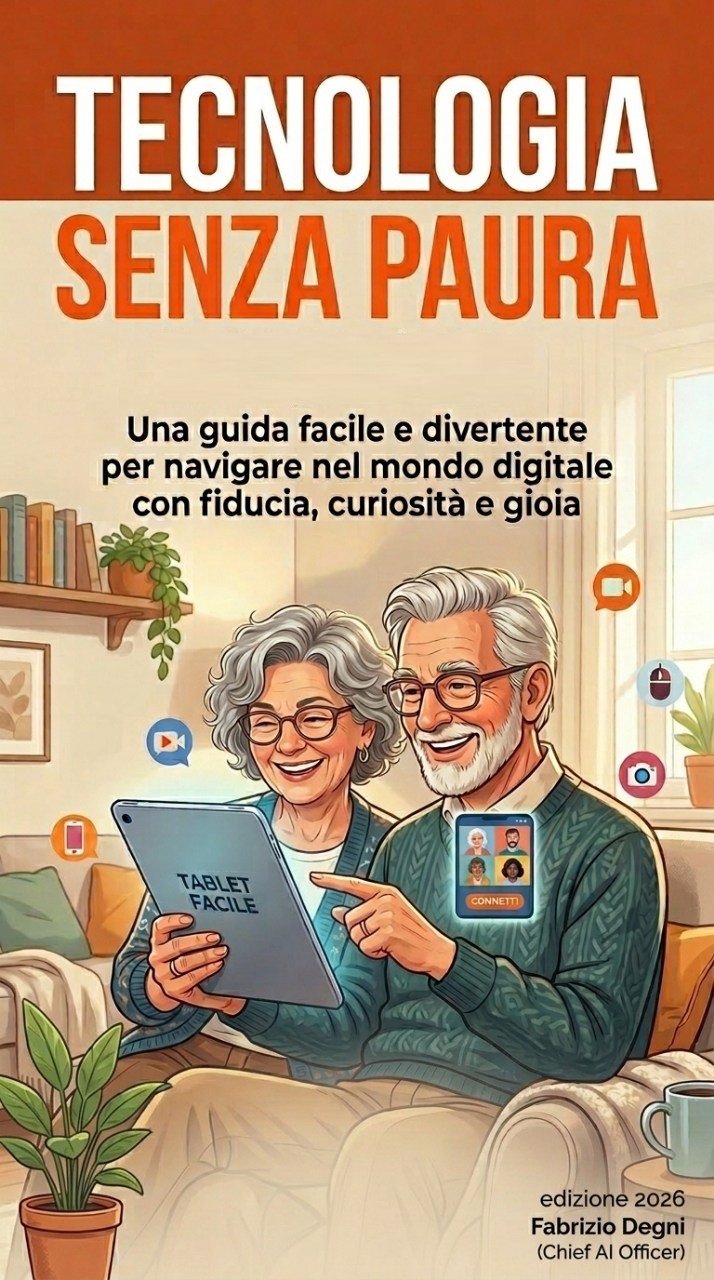
Technology Without Fear
An accessible and enjoyable guide to navigating the digital world with confidence, curiosity and joy.
The book takes readers aged ten and above through essential vocabulary and practical choices. It needs no technical background and works for independent, family or classroom reading.
Reading path
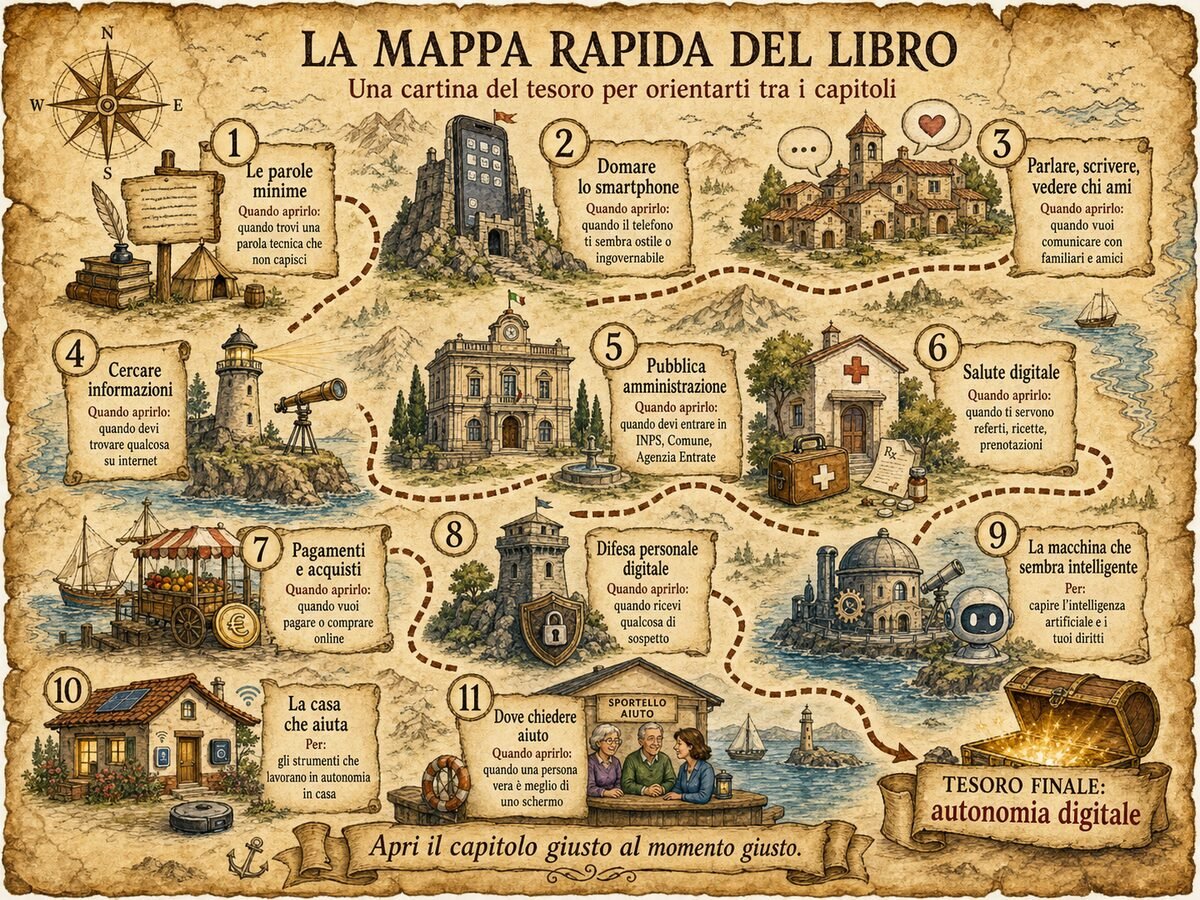
Eleven chapters, one goal: greater autonomy
The book is a map, not a staircase. Open it at the point that is useful today.
- The essential wordsInternet, browsers, links, apps, accounts and passwords.
- Taming the smartphoneGestures, larger text, Wi-Fi, mobile data and backups.
- Talking, writing and seeing those you loveMessages, photos, voice notes, video calls and email.
- Finding informationPrecise searches, reliable sources, news, reviews and maps.
- Public administrationSPID, CIE, App IO, pagoPA and Italian digital documents.
- Digital healthElectronic health records, bookings, reports and privacy.
- Payments and shoppingCards, IBANs, safer payments, subscriptions and cancellation.
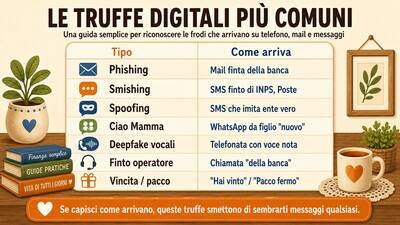
- Personal digital defencePhishing, passwords, passkeys, fraud and voice deepfakes.
- The machine that seems intelligentArtificial intelligence, errors, verification and rights.
- A home that helpsReminders, remote assistance and fall detection.
- Where to ask for helpPeople, community services, official numbers and sources.
Book and website, one story
The book opens the path. The website brings it to life.
The page gives you time, words and context. On the website you can try, verify and involve someone else. Then you return to the book with a clearer question and a little more autonomy.
- A doubt becomes a doorway. The book helps you name what is happening.
- The page becomes an action. On the website you open a guide, try a game or check a source.
- What you learn returns to real life. You compare the choice and return to the right chapter.
The book provides direction. The website provides practice. Together they build digital autonomy.
A path you can repeat
- Discover a chapter
- Try a guide
- Compare the choice together
- Return to the book with a clearer question
Book materials
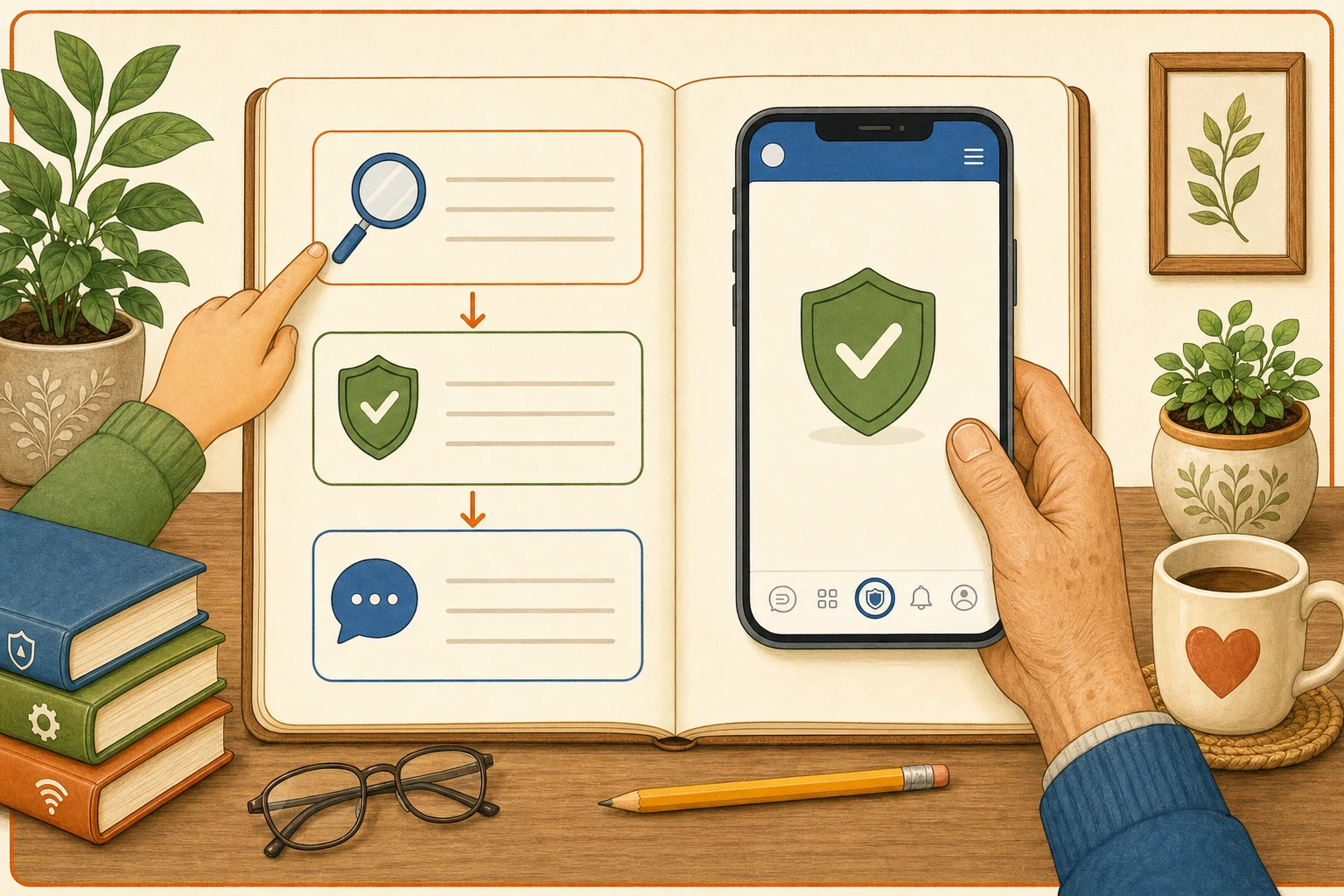
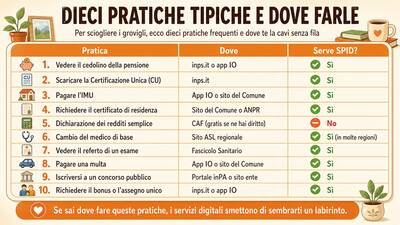
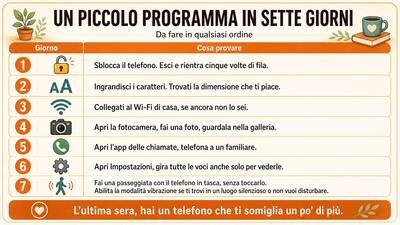
Visual guides you can open directly
This selection remains available without JavaScript. The artwork is in Italian and each image opens at full size.
Digital Playground on paper
Four mini-games, even without JavaScript
Read a situation, choose your answer and then open the solution. Count one point when you choose the most responsible next step, but give the explanation equal attention.
Message Trap
Oak Bank: "Unusual access. Send the code you received now to avoid a block." Safe or suspicious?
Show solution and clues
Suspicious. It creates urgency and asks for a code. Close it and check through the official app or a number you find yourself.
Aurora School: "The meeting starts at 6 pm in the usual room. No link and no action required." Safe or suspicious?
Show solution and clues
Probably safe. It asks for no data, money or urgent action. If the context is unfamiliar, check through the school's normal channel.
Passphrase Workshop
Without using a real password, build a phrase on paper with at least four unrelated words. Which is more robust: Home2026! or tulip compass copper planet 47?
Show solution and explanation
The second is longer and less predictable. Length and unrelated words help. No website can certify a password: use a password manager and, when available, a passkey.
Source Hunt
A post announces a new public deadline. Do you forward it, read the comments, or find the responsible authority's page and check its date and notice?
Show solution and explanation
Find the authority's primary source and check date, context and updates. The game does not declare the post true or false: it rewards a responsible verification path.
Put AI to the Test
An AI assistant gives a precise administrative deadline. Do you accept it, ask for a more confident answer, or check the official portal and current rules?
Show solution and explanation
Check the official source. AI output can be useful and fluent, but deadlines, health, rights and money need external verification. For a low-stakes creative idea, you can treat it as inspiration.
An intergenerational workshop
Technology Together
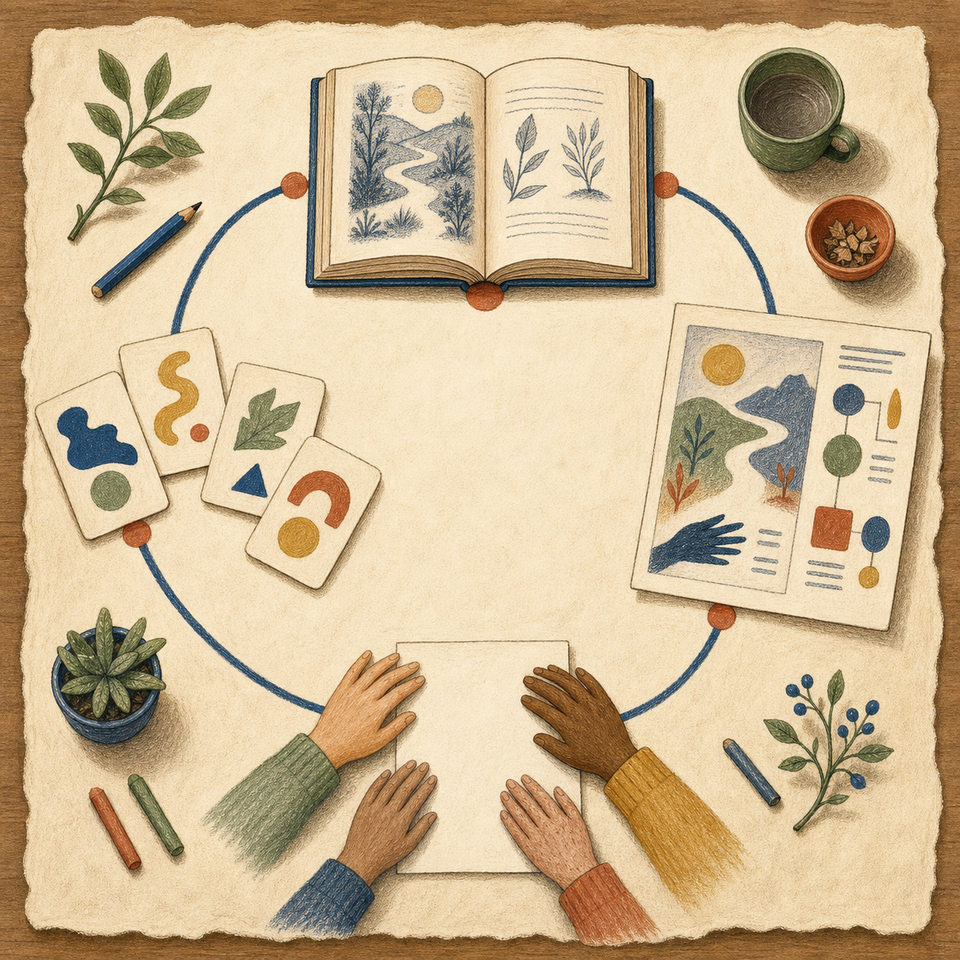
Four rotating roles: the Navigator uses the device or follows the paper route, the Reader reads one step at a time, the Checker examines sources and safety, and the Reporter summarises what the group discovers. Roles are never linked to age.
In the interactive configurator every choice has a real effect: participants distribute roles, place prepares the space, time builds the agenda, tools change the method, and theme defines the objective and recommended mission. The full adaptive configurator requires JavaScript and the configuration is not saved.
- Participants: two people share two roles each, three people rotate one double role, and larger groups work in four role teams.
- Place: home, school, library and workshop receive different preparation.
- Time and tools: the same mission becomes essential, complete or extended and always offers a paper route.
- Theme: changes the objective and keeps the recommendation within the selected family.
The message that creates urgency
Write a simulated message on paper that asks for immediate action. Identify pressure words, check sender and request, then agree on a safe response without opening links.
Final question: which detail helped us slow down at the right moment?
Open the phishing guide
No-jargon words
Choose cloud, account, browser or link. Offer an everyday comparison, test where it works and create one plain but accurate sentence together.
Final question: which comparison made the word clearer without making it inaccurate?
Open the essential words guide
Verified sources
Essential resources worth saving
- Public servicesWhen you need identity, documents, payments or a public procedure.
- SPIDOfficial portal for Italy's digital identity system.
- Carta d'Identità ElettronicaOfficial information on Italy's electronic identity card and CieID app.
- App IOThe official app for Italian public services.
- INPSOfficial portal for pensions, allowances, disability support and social benefits in Italy.
- Agenzia delle EntrateOfficial Italian tax services for returns, records, refunds and tax communications.
- pagoPAInformation on Italy's payment system for public administrations.
- Help desks and associationsWhen you need a person or association to explain a difficult digital situation.
- Repubblica DigitaleMap of Italy's Digital Facilitation Points and public digital-inclusion initiatives.
- ACLI: patronatoOffices and support for social-security, welfare and administrative procedures in Italy.
- INAS: patronato CISLSocial-security and welfare assistance, including digital support services.
- INCA: patronato CGILSupport for pensions, disability, welfare and workers' rights in Italy.
- FederconsumatoriConsumer support for unwanted contracts, bills, commercial fraud and complaints.
- SeniorItalia FederanzianiInformation on rights, services and initiatives supporting active longevity in Italy.
- Digital healthWhen you need reports, medicines, appointments or official health information.
- SecurityWhen a message, call, app or account does not feel right.
- Privacy and rightsWhen you want to understand how data is used and exercise your rights.
- Payments and bankingWhen you need to pay, dispute a charge or understand a card.
- News and verificationWhen a story seems surprising and you want to check sources, images or claims.
- Pagella PoliticaProfessional fact-checking of public claims and political data in Italy.
- Facta.newsChecks stories, chain messages, images and videos circulating on Italian social media.
- BUTACItalian debunking archive covering hoaxes, chain messages and online misinformation.
- Open: fact-checkingChecks of news, images and videos with stated sources and methods.
- Artificial intelligenceWhen you want to try AI, understand its rules or verify an answer.
- Learn digital skillsWhen you want a guided path for building new digital skills calmly.
- Devices and applicationsWhen the phone or an everyday app is not behaving as expected.